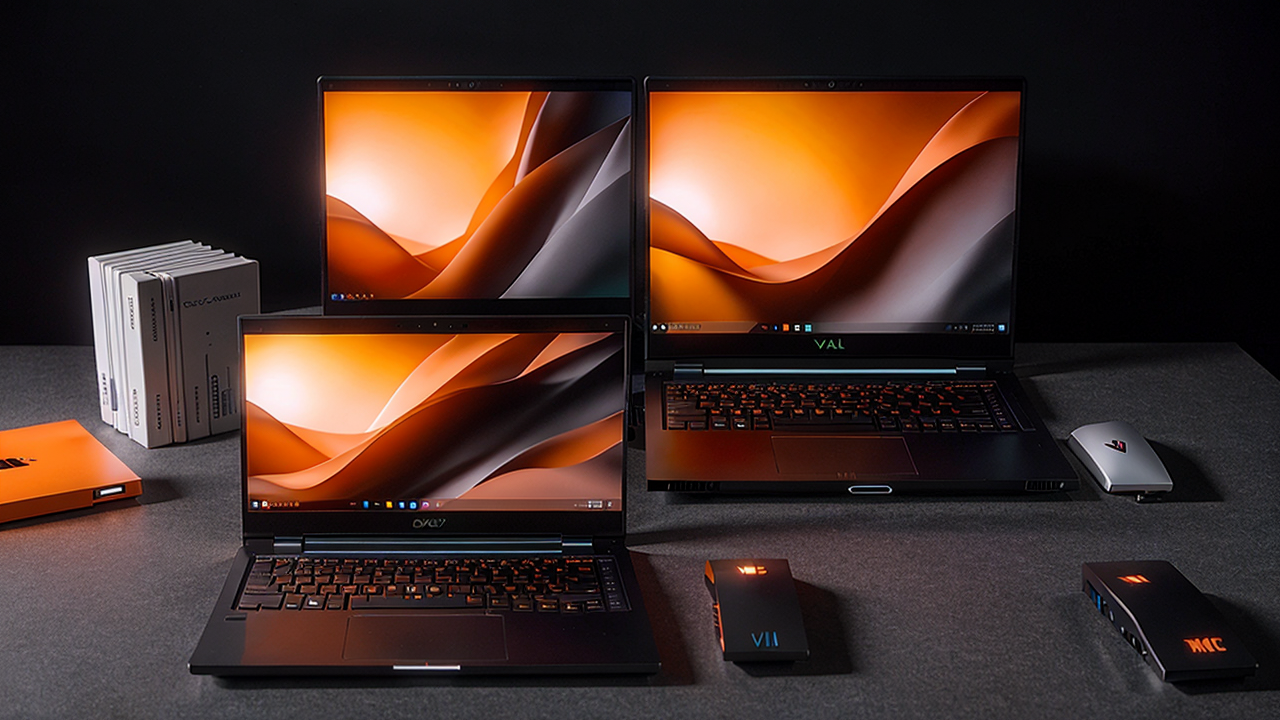
Best Budget Laptops to Buy in Spring 2026 (Real Picks, Real Prices)
Let's be honest — most people don't need a $2,000 laptop. If you're buying a machine for school, working from home, streaming, light photo editing, or just everyday browsing and email, you can get something genuinely great for under $700. And right now, with Amazon's Big Spring Sale running through March 31, 2026, you can get even more for your money.
This guide cuts through the noise. No jargon overload, no spec-sheet waving. Just clear, honest picks for different budgets and use cases — and what you should actually look for so you don't waste your money.
---
What Does "Budget Laptop" Actually Mean in 2026?
The bar for budget laptops has risen a lot. A few years ago, spending under $500 meant you were getting a slow, frustrating experience. Today, that same budget gets you a laptop with a fast SSD, solid battery life, and enough power to handle everyday computing without breaking a sweat.
Here's what to prioritize when shopping under $800:
Skip the cheapest $299 options unless you're buying for a kid. Below $350, you start running into corners cut that you'll actually notice — slow processors, dim displays, cramped keyboards.
---
Best Budget Laptops Under $500
Acer Aspire Go 15 — Best Value for Simple Tasks
If you just need a big-screen laptop for everyday use and want to spend as little as possible on something that won't drive you crazy, the Acer Aspire Go 15 is hard to beat. It runs on an Intel Core i3-N355, which isn't a powerhouse, but pairs it with 16GB of RAM and a 512GB SSD — a combination that makes it feel noticeably snappier than you'd expect at this price.
The 15.6-inch 1080p IPS screen is decent for the money, and battery life routinely hits 8–9 hours. It's not glamorous, but if your list is: browser, email, Word docs, Zoom calls — this checks every box without fuss.
Pros: Big screen, 16GB RAM, great price, solid battery Cons: The Intel N355 will struggle with multitasking-heavy workflows; no backlit keyboard
---
Lenovo IdeaPad Slim 3 — Best for Students
The Lenovo IdeaPad Slim 3 has been a student favorite for years, and the 2025/2026 generation continues that tradition. The AMD Ryzen 5 version gives you noticeably better performance than Intel's budget chips at this price range — faster app loading, smoother multitasking, and a GPU integrated into the processor that can actually handle light gaming (think: Minecraft, older Steam titles).
It's thin, light enough to toss in a backpack, and Lenovo's keyboard is one of the better typing experiences you'll find under $500. Battery life is solid at around 9 hours.
Pros: Ryzen 5 performance, great keyboard, lightweight, reliable brand Cons: Speakers are weak; display brightness could be better outdoors
---
ASUS VivoBook 15 — Best Display Under $500
For anyone who cares about screen quality — designers, photographers, video watchers — the ASUS VivoBook 15 punches above its price with a vibrant 1080p OLED or high-color IPS panel depending on configuration. Colors are noticeably richer than what you see on most budget competitors.
The OLED version can be found on sale for just under $500 and represents genuinely excellent value if display quality matters to you. Pair it with 16GB RAM and a Ryzen 5 processor and you have a capable daily driver.
Pros: Excellent display options, good performance, solid build quality Cons: Fan can get loud under sustained load; not the best for gaming
---
Best Laptops $500–$800: More Power, Still Affordable
Acer Aspire 14 (Copilot+ PC) — Best Overall Under $800
This is the pick. The Acer Aspire 14 uses Qualcomm's Snapdragon X chip — Microsoft's Copilot+ platform — which brings two things that matter: all-day battery life (we're talking 14–16 hours of real-world use) and built-in AI features for things like live captions, search, and Recall. It's thin, light, and fast.
The Acer Aspire 14 Copilot+ is currently on sale during Amazon's Spring Sale for around $499 (down from $829). At that price, it's one of the best laptop deals available right now. This is the laptop we'd recommend to most people who just need a fast, thin machine that lasts all day.
Pros: Exceptional battery life, fast everyday performance, AI features, great deal right now Cons: Qualcomm's ARM architecture means some older Windows apps may not run natively (most major software is already compatible)
---
HP Victus 15 (RTX 4050) — Best Budget Gaming Laptop
If gaming is part of the equation, the HP Victus 15 with RTX 4050 at around $599–$649 is the best bang for your buck in 2026. The RTX 4050 can run most modern games at 1080p with decent settings — we're talking Cyberpunk 2077 at medium settings hitting 60fps, or Fortnite and Call of Duty at high settings with smooth performance.
Note the tradeoffs: battery life is only about 4–5 hours (gaming laptops sacrifice battery for performance), and it's thicker and heavier than the other picks here. But if you want to game without spending over $1,000, this is the move.
Pros: Real gaming performance at an accessible price, 144Hz display, solid CPU Cons: Short battery life, heavier than non-gaming laptops
---
Microsoft Surface Laptop 7 — Best Premium Feel Under $1,000
The Microsoft Surface Laptop 7 sits at the top of the "affordable" range, usually around $899 for the base model — but it earns the premium. The build quality feels closer to a $1,500 MacBook than most Windows laptops at this price. It also uses the Snapdragon X Plus chip for phenomenal battery life (12–14 hours real-world), and the 13.8-inch display is sharp and bright.
If you want a MacBook-like experience on Windows — great materials, long battery, clean design — this is the answer.
Pros: Exceptional build quality, best-in-class battery life, great display Cons: Pricier than other picks; limited ports
---
What About Chromebooks?
For some people, a Chromebook makes total sense. If your computing life is mostly web-based — Google Docs, email, YouTube, Zoom — a Chromebook Plus like the ASUS Chromebook Plus CX34 at $299–$349 will feel fast, secure, and last forever on a charge.
The "Plus" designation means these Chromebooks have at least 8GB RAM and run Google AI features like Magic Eraser and video call enhancements. Just know the limitation: you can't install standard Windows software. If you need Microsoft Office, Photoshop, or any professional desktop apps, stick with Windows.
---
Should You Buy Now or Wait?
Here's the honest answer: if you need a laptop, buy now. Amazon's Big Spring Sale ends March 31, 2026, and several of the picks above (especially the Acer Aspire 14 Copilot+) are at historically low prices right now.
If you don't need a laptop urgently, there's no new processor generation on the immediate horizon that would make current options obsolete. AMD's Ryzen 9000 mobile and Intel's Core Ultra 200 are already out and well-represented in current models. What's coming is iterative, not revolutionary.
The one thing that might justify waiting: if you're eyeing a gaming laptop, Nvidia's RTX 5000 series chips are beginning to appear in premium gaming laptops. But RTX 5050/5060 laptops under $1,000 won't realistically arrive until late 2026.
---
Our Recommendation
For most people, the Acer Aspire 14 Copilot+ is the best laptop to buy right now — especially at its current Spring Sale price. It's fast, lasts all day, and does everything a regular user needs without overspending.
Whatever your budget, there's a genuinely good laptop at every tier in 2026. The worst thing you can do is overpay for specs you don't need — or underpay and get frustrated six months later.
---
Disclosure: This post contains affiliate links. If you purchase through these links, I may earn a small commission at no extra cost to you.