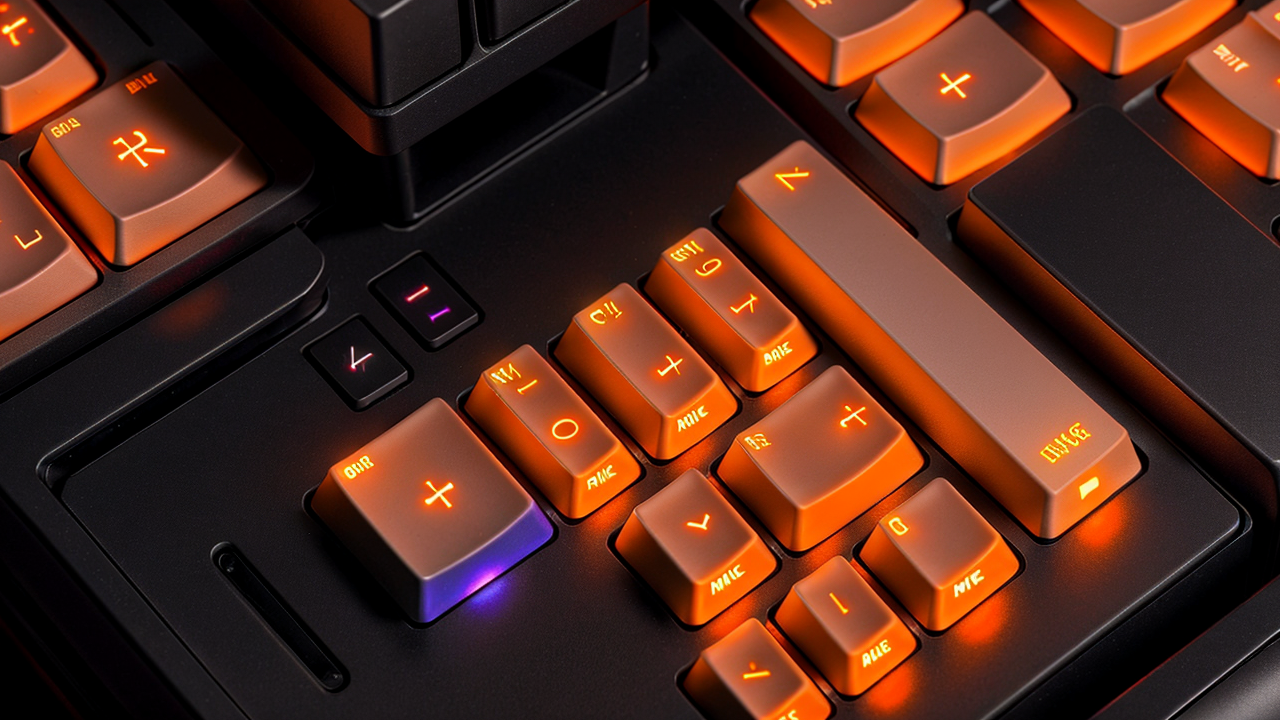
If you've been putting off buying a mechanical keyboard because the options feel overwhelming, this is the year to finally pull the trigger. The market has gone through a real shift over the past two years — prices have dropped, competition has increased, and a new technology called Hall Effect has quietly taken over the gaming side of the market.
This guide gives you six specific picks across every major use case, from a $35 budget board to a $220 endgame wireless option. More importantly, it explains why each pick is the right choice for a specific type of buyer — so you don't spend $175 on a gaming-focused keyboard when what you actually needed was a typing board, or vice versa.
---
Quick Comparison: The 6 Best Mechanical Keyboards in 2026
| Keyboard | Price | Switch Type | Best For | Wireless? | |---|---|---|---|---| | Keychron Q1 Max | ~$200 | Gateron G Pro (traditional) | Home office typing, programmers | Yes (BT + 2.4GHz) | | Wooting 80HE | ~$175 | Lekker Hall Effect | Competitive FPS gaming | No | | Gamakay TK75 HE | ~$70 | Hall Effect | Budget gaming, Hall Effect curious | No | | Keychron C3 Pro | ~$35 | Gateron Red/Brown/Blue | First-time buyers, office typists | No | | Keychron Q5 Max | ~$220 | Gateron G Pro (traditional) | Wireless power users, numpad needed | Yes (BT + 2.4GHz) | | Logitech G515 TKL | ~$130 | Logitech GL Low Profile | Laptop users, wrist fatigue | Yes (Lightspeed 2.4GHz) |
---
What's a Hall Effect Keyboard, and Do You Actually Need One?
Traditional mechanical switches work by pressing two metal contacts together when you hit a key. Simple, reliable, proven over decades. Hall Effect switches work completely differently — they use a magnet and a magnetic sensor. There's no physical contact at all.
Why does that matter? Two reasons:
Durability. No contacts means no contact wear. Traditional switches are rated for 50–100 million keystrokes. Hall Effect switches are theoretically unlimited because nothing physical touches.
Rapid trigger. This is the big one for gamers. Traditional switches require you to release the key past the actuation point before it can register again. Hall Effect switches can register a new keypress the instant your finger starts moving back up — even if you've only moved 0.1mm. In competitive FPS games (CS2, Valorant, Apex Legends), this makes movement keys more responsive and more consistent.
As of 2026, roughly 40% of top professional esports players use Hall Effect keyboards — up from essentially zero in 2022. Prices have collapsed as Chinese manufacturers entered the market. You can now get a solid Hall Effect board for $70–$100.
Should you get one? If you game competitively (FPS, battle royale, fighting games): yes, probably. If you mainly type, work from home, code, or play casually: a traditional mechanical keyboard will serve you better. Traditional switches have decades of optimization for typing feel, sound, and texture that Hall Effect boards haven't caught up to yet.
---
The 6 Best Mechanical Keyboards to Buy Right Now
Best Overall: Keychron Q1 Max (~$200)
Buy the Keychron Q1 Max on Amazon →
The Keychron Q1 Max is the keyboard I'd point anyone to who wants the best typing experience without going into full custom territory. Full aluminum case, gasket-mounted plate, Bluetooth 5.1 or 2.4GHz dongle wireless, and QMK/VIA programmability — that means you can remap every single key and create macros in open-source firmware, not proprietary software.
The gasket mount is what separates a $200 board from a $50 one in a way you can actually feel. The plate floats on silicone dampeners instead of being screwed directly to the case. The result is a deeper, bouncier sound with less harsh "bottom out" feel on each keystroke. Once you've typed on a gasket-mounted board, going back to a rigid-plate budget board feels like typing on a school desk.
Ships with Gateron G Pro switches — smooth linears that don't need lubing out of the box, which matters because lubing switches yourself (while worth it for enthusiasts) is a 3-hour project.
Best for: Home office workers, writers, programmers who want a premium daily driver that also works wirelessly.
Downside: No Hall Effect, so competitive gamers get nothing from this board. Also, the south-facing LEDs mean not all third-party keycaps will shine through properly — minor issue but worth knowing. At $200, it's a real investment.
Compare Keychron Q1 Max options on Amazon
---
Best for Competitive Gaming: Wooting 80HE (~$175)
Buy the Wooting 80HE on Amazon →
Wooting essentially invented the consumer rapid trigger market, and the 80HE is still the gold standard. The Lekker switches (developed in partnership with Gateron) feel smooth and consistent, but the real differentiator is Wootility — Wooting's software. You can adjust rapid trigger sensitivity per-key down to 0.1mm increments. That means you can set your WASD keys to re-register on any movement while keeping other keys at a more conservative setting.
The 80% layout (removes numpad and function row) keeps desk space tight and your mouse closer. At roughly 375mm wide versus 440mm for a full-size board, that's 65mm of extra mouse room — meaningful in low-sensitivity FPS setups.
Best for: FPS gamers serious about competitive play, anyone who wants best-in-class rapid trigger software.
Downside: 80% means no numpad and no dedicated function row, which bothers some people more than others. The board is also wired-only — no wireless option. And at $175 for a wired keyboard, you're paying a premium that's hard to justify if you game casually.
Find the Wooting 80HE on Amazon
---
Best Budget Hall Effect: Gamakay TK75 HE (~$70)
Buy the Gamakay TK75 HE on Amazon →
A year ago, a sub-$100 Hall Effect keyboard was a risk. You'd get the technology but sacrifice everything else — build quality, software, switch feel. The Gamakay TK75 HE at $70 has changed that calculation.
You get genuine Hall Effect switches with rapid trigger support, a gasket mount (which at this price is nearly unheard of), hot-swappable sockets so you can change switches later, and per-key RGB. The 75% layout gives you a compact footprint while keeping arrow keys and a small cluster of utility keys that the 80% Wooting drops.
The software is less polished than Wootility — expect clunkier UI and occasional driver quirks. The aluminum plate isn't as thick as a $200 board. But for most casual-to-intermediate gamers who want to try Hall Effect without a big commitment, this delivers 90% of the experience at less than half the price.
Best for: Budget-conscious gamers, people who want to try Hall Effect before committing, 75% layout fans.
Downside: The software is genuinely worse than competitors — expect occasional bugs and less granular control. Build quality doesn't match $150+ boards. If you game at the highest competitive levels, the switch quality difference matters.
See Gamakay TK75 HE pricing on Amazon
---
Best Budget Traditional: Keychron C3 Pro (~$35)
Buy the Keychron C3 Pro on Amazon →
At $35, the Keychron C3 Pro should not exist. Gasket-mounted plate, hot-swappable switches, QMK/VIA firmware support — these were $100+ features two years ago. Keychron has compressed the market in a way that genuinely benefits first-time buyers.
This is a full-size layout with numpad, so you get everything. No compromises on key count. The hot-swap sockets mean you can change switches if you decide you want something different without soldering — just pull out the switch with a switch puller and push in a new one.
Available with Gateron Red (linear, no bump, slightly lighter force), Brown (tactile bump, no click, the most popular all-rounder), or Blue (tactile bump plus click sound, loud, not for offices). If you're unsure: start with Red or Brown. Red for gaming or if you prefer a smooth keystroke; Brown if you want a little tactile feedback while typing.
Best for: First-time mechanical keyboard buyers, office typists who don't need wireless, anyone who wants a real mechanical board without spending more than $40.
Downside: Wired only — no wireless option at this price point. The stabilizers on the larger keys (spacebar, shift, enter) benefit from lubing, which it ships without. Also polycarbonate case rather than aluminum, which some people notice in the sound profile.
Buy the Keychron C3 Pro on Amazon
---
Best Wireless: Keychron Q5 Max (~$220)
Buy the Keychron Q5 Max on Amazon →
If a cable-free desk is your priority and you don't want to compromise on build quality, the Keychron Q5 Max is the answer. Full-size layout with numpad, aluminum chassis, a physical knob for volume and media control, and a 4,000mAh battery that lasts weeks between charges with the backlight off (closer to two to three days with RGB on full).
The wireless works via Bluetooth 5.1 (three device pairing, so you can switch between laptop, desktop, and tablet) or the included 2.4GHz dongle for a lower-latency wired-equivalent connection when you need it. In practice, the 2.4GHz feels identical to wired for typing purposes.
This is a buy-once keyboard. At over 2kg, it stays where you put it. The gasket mount gives you the same premium typing feel as the Q1 Max. QMK/VIA support means you can customize it forever.
Best for: Home office users who need wireless, anyone who needs a numpad, people who want to spend once on something that lasts a decade.
Downside: It's heavy (over 2kg) — not a board you'll move around. At $220, it's the most expensive pick in this guide. Also overkill for gaming — the Q5 Max is a typing and productivity board, not optimized for gaming performance.
See Keychron Q5 Max deals on Amazon
---
Best Low-Profile: Logitech G515 TKL Lightspeed (~$130)
Buy the Logitech G515 TKL on Amazon →
Low-profile keyboards split the mechanical keyboard community — some people love the shorter travel and flatter angle, others find them unsatisfying compared to a full-height board. But if you type on a laptop constantly and want something that feels similar ergonomically while still being a mechanical keyboard, the G515 TKL is genuinely excellent.
At 22mm tall, it's dramatically slimmer than a standard mechanical board. Logitech's GL Low Profile switches have 2.7mm of travel versus 4mm on a standard switch — shorter, quicker, lighter. The Lightspeed 2.4GHz wireless is Logitech's best connection tech, essentially wired-equivalent latency.
Battery life is the headline stat: up to 800 hours with the backlight off. That's almost 100 eight-hour workdays on a single charge. Even with moderate RGB, you're looking at weeks of use.
TKL layout means no numpad, which keeps it compact. The build quality is plastic — this isn't a heavy aluminum board — but it doesn't feel cheap.
Best for: Laptop users who want mechanical feel with a similar ergonomic profile, people experiencing wrist fatigue with tall keyboards, wireless users who want exceptional battery life.
Downside: The typing feel is lighter and quicker than a standard mechanical board — some people find this unsatisfying if they're used to full-height switches. Plastic case rather than aluminum. Not ideal if you love the classic "thock" sound of a full-height gasket-mounted board.
Find the Logitech G515 TKL on Amazon
---
What to Look For Before You Buy
If you've never bought a mechanical keyboard before, here are the things that actually matter — and the things that don't.
Form Factor: How Many Keys Do You Actually Need?
Full-size (100%) gives you every key including numpad. Best if you use the numpad regularly — for spreadsheets, data entry, accounting, or gaming that uses the numpad for binds.
TKL (80%) removes the numpad but keeps the function row and navigation cluster. The most popular layout for most people — removes the least-used section while keeping everything else.
75% removes the numpad and compresses the navigation cluster. Compact but still functional. Popular in the mechanical keyboard hobbyist space.
65% keeps arrows but removes the function row. Requires using Fn combinations for F keys, which some people adapt to quickly and others hate.
For most people: TKL is the safest starting point. If you know you need a numpad, go full-size.
Switch Feel: Linear vs. Tactile vs. Clicky
This is the most common question and the most personal one.
Linear switches (Red, Yellow, Speed Silver) feel smooth all the way down — no bump, no click, just a smooth keystroke. They're the default recommendation for gaming because there's no resistance point, just a consistent force curve. Also good for typing if you prefer a smooth feel. If you're completely unsure, start with linear.
Tactile switches (Brown, Clear, Boba U4) have a small bump when the key registers, without a click sound. Popular because they work in both gaming and office environments. The bump gives you tactile feedback so you know the key registered without bottoming out.
Clicky switches (Blue, Green) have both a tactile bump and an audible click on each keypress. Satisfying if you type alone. On video calls, your microphone will pick up every keystroke. Don't get clicky switches unless you work alone.
Build Quality: What's Worth Paying For
Gasket mount vs. top mount affects how the keyboard sounds and feels. Gasket mount floats the plate on dampeners; top mount screws it directly to the case. If two keyboards cost the same but one is gasket-mounted, the gasket-mounted board will feel and sound noticeably better.
Hot-swap sockets let you change switches without soldering. Worth having even if you never change your switches — it's insurance. Standard in most decent boards now.
Case material: Aluminum sounds deeper and stays in place better. Polycarbonate can produce a higher-pitched sound and slides around more easily. Neither is objectively better — it's a preference thing.
Software: QMK/VIA support means open-source configurability without background processes. Keychron does this well. Proprietary software from brands like Corsair and Razer tends to be bloated and requires accounts.
Wireless: Worth It?
For typing and productivity: wireless is a quality-of-life upgrade. No cable clutter, easy to reposition, works across multiple devices.
For gaming: 2.4GHz wireless is essentially wired-equivalent — under 1ms latency, stable connection. Bluetooth is slightly slower but fine for everything except the most competitive gaming. The question is whether you want to manage charging. Most wireless boards last weeks between charges.
---
Frequently Asked Questions
Q: I play a lot of FPS games. Should I get linear or Hall Effect switches?
Hall Effect with rapid trigger enabled, if budget allows. The Gamakay TK75 HE at $70 gives you genuine rapid trigger for less than the cost of a mid-range traditional keyboard. If budget is tight, any linear switch works fine — rapid trigger is a competitive advantage, not a requirement.
Q: What's the difference between Gateron and Cherry MX switches?
Cherry MX are the original mechanical keyboard switches — German-made, quality-controlled, and the de facto standard for decades. Gateron makes clones that are widely considered to be smoother than Cherry MX at the same specifications, for less money. For most buyers, Gateron Red vs. Cherry MX Red is an irrelevant distinction. Both are excellent.
Q: My coworkers will hear me typing. What should I get?
Linear switches (Red) are quieter than tactile (Brown) which are quieter than clicky (Blue). But the biggest factor in keyboard noise is actually the case design, not the switch. A gasket-mounted board with a silicone dampener is noticeably quieter than a rigid plastic case with the same switches. If you're in a shared office, avoid clicky switches and look for boards described as "dampened."
Q: Can I use a mechanical keyboard for gaming AND work?
Yes, most mechanical keyboards work well for both. The only real exception is if you want Hall Effect for gaming but also type for 8 hours a day — Hall Effect switches are slightly less refined for typing than traditional switches optimized for typists. If you do both seriously, compromise on the Wooting 80HE which is functional for typing despite being gaming-focused.
Q: What is QMK/VIA and do I need it?
QMK is open-source keyboard firmware that lets you remap any key, create macros, and configure the keyboard without proprietary software. VIA is a graphical frontend for QMK that works in a browser. If you want to change what your keys do — remap Caps Lock, create a layer for F keys without a function row, bind macros — you want QMK/VIA support. If you just want to type and not customize, you don't need it, but it's a nice-to-have.
Q: Are expensive keyboards actually better, or is it marketing?
Genuinely better, up to a point. The gap between a $35 board and a $150 board is real and noticeable — better gasket mount, better switches, better stabilizers, better sound. The gap between a $150 board and a $500 custom board is also real but much smaller relative to the price difference. For most buyers, the sweet spot is $70–$200.
---
The Bottom Line
For pure typing and daily use: the Keychron Q1 Max at ~$200 is the pick. If that's too much, the Keychron C3 Pro at $35 is genuinely impressive for the price — you'll understand why people obsess over mechanical keyboards after one week with it.
For gaming: if you want the best Hall Effect experience and don't mind the price, the Wooting 80HE at ~$175 is still the benchmark. Budget Hall Effect: Gamakay TK75 HE at ~$70.
For wireless: Keychron Q5 Max if you need a numpad and want premium build quality, Logitech G515 TKL if you want slim profile and absurd battery life.
If you're completely new to mechanical keyboards and want to dip your toes in without spending much, buy the Keychron C3 Pro with Brown switches. $35, real mechanical keyboard, and you'll know within a week whether you want to go deeper.
---
Related guides:
---
Disclosure: This post contains affiliate links. If you purchase through these links, I may earn a small commission at no extra cost to you.