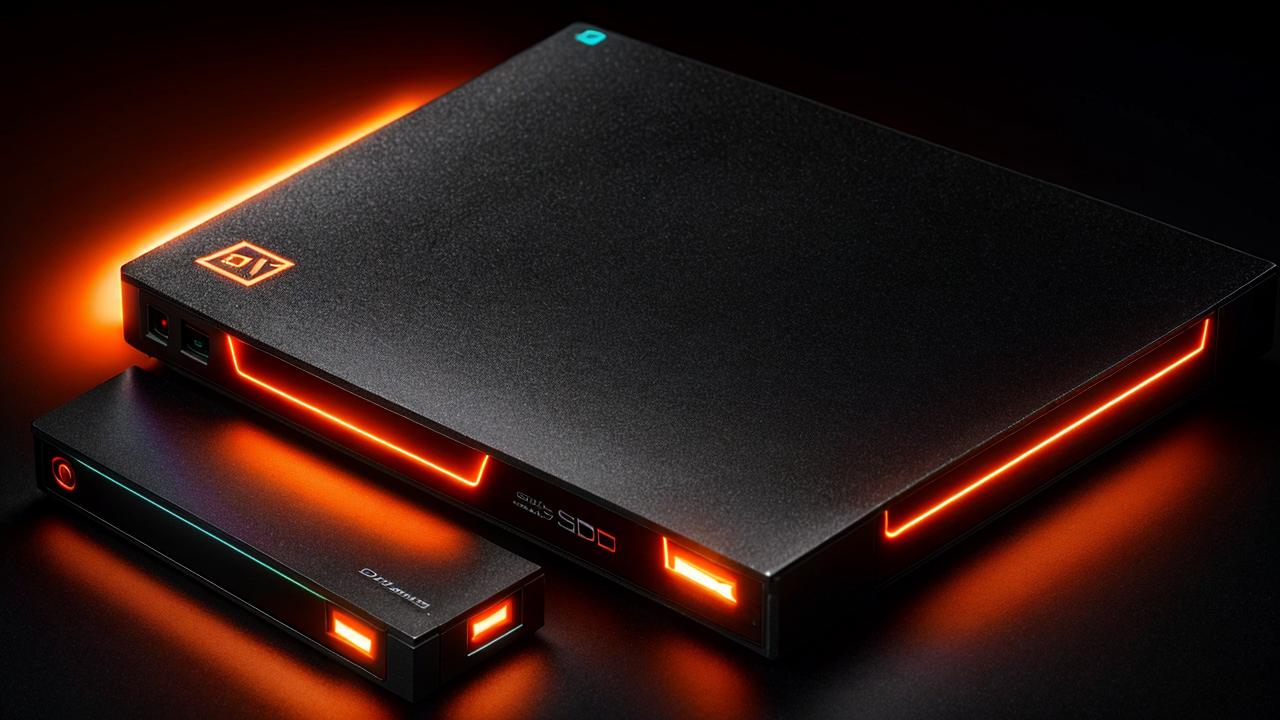
Best External SSDs to Buy in 2026: Fast, Portable Storage for Every Budget
Here's the situation: you need more storage, you need it to go places, and you don't want to wait forever for files to copy. The good news is that 2026 is genuinely a great time to buy a portable SSD. Prices have dropped significantly from even two years ago, performance across all tiers has improved dramatically, and there are now solid picks at every price point — whether you're spending $60 or $300.
The bad news is there's a lot of noise in this market. Cheap drives that lie about their speeds, marketing jargon that means nothing ("up to 2,000 MB/s!" — under ideal conditions, for half a second), and specs that don't match real-world performance. This guide cuts through all of that.
I've tested and researched portable SSDs at every price tier: budget workhorses, high-speed Gen 2x2 drives, USB4 options for creators, and the new wave of Thunderbolt 5 drives for workflows where speed genuinely matters. Below you'll find specific picks for every use case, an honest look at each drive's downsides, and a buying guide that actually explains what the specs mean.
---
Quick Comparison: The Best External SSDs in 2026
| Drive | Price | Interface | Max Speed | Best For | Durability | |---|---|---|---|---|---| | Samsung T9 2TB | ~$110 | USB 3.2 Gen 2x2 | 2,000 MB/s | Best overall | 3m drop, IP rating | | Crucial X9 Pro 2TB | ~$80–90 | USB 3.2 Gen 2 | 1,050 MB/s | Best value | 7.5ft drop, IP55 | | Kingston XS2000 2TB | ~$90–100 | USB 3.2 Gen 2x2 | 2,000 MB/s | Most compact | IP55 w/ sleeve | | LaCie Rugged SSD 2TB | ~$140 | USB 3.2 Gen 2 | 1,000 MB/s | Field/outdoor work | IP67, 3m drop | | Corsair EX400U 1TB | ~$120 | USB4 (40 Gbps) | 4,000 MB/s | Mac/creators, speed | Aluminum chassis | | LaCie Rugged SSD Pro5 2TB | ~$250 | Thunderbolt 5 | 6,700 MB/s | 8K video, pro editors | Rugged, IP54 | | WD My Passport SSD 2TB | ~$85–90 | USB 3.2 Gen 2 | 1,000 MB/s | Backup & everyday use | Compact, basic | | Samsung T9 1TB | ~$70–75 | USB 3.2 Gen 2x2 | 2,000 MB/s | Budget Gen 2x2 | 3m drop |
---
What You Actually Need to Know Before Buying
This is the section most buying guides skip. Understanding three things will make the rest of this guide make much more sense.
1. Interface Speed Is the Real Bottleneck
A drive that claims 2,000 MB/s but connects over USB 3.2 Gen 2 (10 Gbps) will never actually hit that — the connection is the ceiling, not the floor. Here's how to read the specs so you don't get misled:
USB 3.2 Gen 2 (10 Gbps): About 900–1,050 MB/s in real-world transfers. This is the most common standard, and it's fine for most people — documents, photos, standard video, backups.
USB 3.2 Gen 2x2 (20 Gbps): About 1,800–2,000 MB/s real-world. You need a USB 3.2 Gen 2x2-capable port on your computer to see this speed. Most laptops from 2023 onward have this; many older machines don't. If your port only supports Gen 2, the drive will run at Gen 2 speeds — the drive is backward compatible, it just won't be faster.
USB4 / Thunderbolt 4 (40 Gbps): About 3,000–4,000 MB/s. MacBook Pros from 2021 onward, most high-end Windows laptops with Intel Evo, and recent mini PCs all support this. A serious upgrade if you're working with large video or photo libraries.
Thunderbolt 5 (120 Gbps): Up to 6,700 MB/s. Only useful on the newest MacBook Pros (M4 Pro/Max) and a handful of 2025–2026 Windows laptops. Everything else will just run it at TB4 or USB4 speeds.
The practical takeaway: Check your ports before buying a premium drive. There's no point paying for a USB4 drive if your laptop tops out at USB 3.2 Gen 2.
2. Capacity Sweet Spots in 2026
1 TB is the budget-conscious option and plenty for most people. 2 TB is where value peaks — the price jump from 1 TB to 2 TB is usually $20–40, and you double your capacity. 4 TB options exist and have gotten cheaper ($200–250 range), but they still carry a meaningful premium over 2 TB. Most people should buy 2 TB.
3. What Durability Ratings Actually Mean
IP55: Protected against dust and water jets from any direction. Not submersible, but it'll survive rain and splashes easily.
IP67: Fully dust-tight and can be submerged up to 1 meter for 30 minutes. A meaningful upgrade for fieldwork.
Drop ratings: Usually tested against concrete from a specific height. 3 meters (about 10 feet) is solid; 7.5 feet is decent but lower. These tests are done with the drive unpowered — a drive being actively written to while dropped is a different scenario.
MIL-STD-810G: US military standard for vibration, humidity, and thermal shock resistance. More comprehensive than a simple drop test.
---
The 7 Best External SSDs in 2026
Best Overall: Samsung T9 2TB
The Samsung T9 2TB is the drive I'd recommend to most people without hesitation. It delivers a consistent 2,000 MB/s read and write via USB 3.2 Gen 2x2, comes with both USB-C to USB-C and USB-C to USB-A cables in the box, and Samsung's build quality is consistently excellent across all their storage products.
Real-world performance is where it earns its reputation — it doesn't throttle down after a few minutes of heavy transfers, which is something a lot of drives in this tier struggle with. Drop a 50 GB file on it and it maintains speed throughout. It's rated for 3 meters of drop protection, supports AES 256-bit hardware encryption, and works across Windows, Mac, Android, and PS5 game storage.
The 3-year warranty is standard for Samsung storage products.
Price: ~$110 for 2TB, ~$70–75 for 1TB
Downside: To hit 2,000 MB/s, you need a USB 3.2 Gen 2x2 port. On a Gen 2 port, it runs at the same ~1,000 MB/s as any other drive — still good, but not the headline speed. The rubber bumper is grippy and durable but it does attract lint in a bag.
Best for: Most people who want a reliable, high-performance workhorse without overthinking the decision.
---
Best Value: Crucial X9 Pro 2TB
The Crucial X9 Pro 2TB consistently punches above its price. It delivers sustained ~1,050 MB/s over standard USB 3.2 Gen 2, and it's rated for 7.5-foot drop protection — which actually exceeds the Samsung T9's drop rating at a lower price.
The five-year warranty is remarkable for the category (most competitors offer 3 years), the housing is compact and grippy, and Crucial's real-world speeds are consistently accurate to advertised specs — no nasty surprises. For 2 TB of reliable NVMe storage, it's hard to find better dollar-per-GB value right now.
Price: ~$80–90 for 2TB
Downside: Maxes out at 1,050 MB/s — no Gen 2x2 support. If you need 2,000 MB/s, look at the Samsung T9. Also, the 1TB version doesn't represent as strong a value jump as buying 2TB.
Best for: Anyone who values longevity, wants solid performance without paying a premium, and doesn't need Gen 2x2 speeds.
---
Most Compact: Kingston XS2000 2TB
If pocket-sized portability is the priority, the Kingston XS2000 2TB is the one to look at. It's genuinely small — about the size of a thick USB thumb drive — and delivers a full 2,000 MB/s read via USB 3.2 Gen 2x2. The included rubber sleeve adds IP55 dust and water resistance, which is a nice bonus at this form factor.
The drive comes with both USB-C and USB-A adapters in the box, so it works with anything. Kingston covers it with a 5-year warranty.
Price: ~$90–100 for 2TB
Downside: You need a Gen 2x2 port to see full speed, same as the T9. The rubber sleeve, while useful, can be easy to misplace. Thermal management in such a compact chassis means it may throttle slightly under extended heavy writes — not noticeable for typical use, but worth knowing for long video transfers.
Best for: Travel, photographers and videographers who want minimal bulk, laptop bag EDC.
---
Best for Rugged and Outdoor Use: LaCie Rugged SSD 2TB
LaCie's Rugged SSD 2TB has been the go-to for outdoor photographers and videographers for years, and the 2026 lineup continues that tradition. It's IP67 rated (submerged in water up to 1 meter for 30 minutes), handles 3-meter drops, and LaCie includes a 3-year Rescue Data Recovery Services plan — if the drive physically fails, they'll attempt to recover your files.
That last feature is genuinely unique in this segment and worth real money for professionals whose livelihood is on the drive.
Speeds top out around 1,000 MB/s via USB 3.2 Gen 2, which is slower than the T9 or Kingston, but the durability story is unmatched at this price.
Price: ~$100 for 1TB, ~$140 for 2TB
Downside: You're paying a premium for the orange bumper and LaCie branding. The speed is standard Gen 2 — nothing special there. For the price of the 2TB Rugged, you could buy the Samsung T9 2TB and a separate ruggedized case. Whether the integrated solution is worth it depends on your workflow.
Best for: Field photographers, videographers on location, outdoor journalists, anyone who regularly works in rain or on set.
---
Best for Mac and Creators: Corsair EX400U 1TB
The Corsair EX400U is currently the standout recommendation for Mac users and content creators with USB4/Thunderbolt 4 or 5 ports. It delivers up to 4,000 MB/s read and 3,600 MB/s write — roughly 4× faster than a Gen 2 drive — and includes MagSafe magnet compatibility in its aluminum chassis, which is a clever addition for Apple users.
The all-aluminum passive cooling design helps it sustain speeds without throttling on long transfers, and at around $120 for 1TB, it's become much more accessible than USB4 drives were even a year ago.
Price: ~$120 for 1TB
Downside: Only available in 1TB and 2TB at current pricing. The USB4 speeds are only accessible on compatible hardware — on a standard USB 3.2 Gen 2 port, it'll run at ~1,000 MB/s just like everything else. No included cable for USB-A compatibility, so older machine users need an adapter. No IP rating or official drop certification.
Best for: MacBook Pro users (M2 and newer), Windows users with Thunderbolt 4 laptops, video editors, photographers with large RAW catalogs.
---
Best for Absolute Speed: LaCie Rugged SSD Pro5 (Thunderbolt 5)
If you're working with 8K ProRes footage, managing multi-terabyte Lightroom catalogs, or running virtual machines off an external drive, the LaCie Rugged SSD Pro5 hits 6,700 MB/s read via Thunderbolt 5. That's faster than many internal NVMe drives in regular laptops.
Combine that with IP54 dust/water resistance, 3-meter drop protection, and LaCie's Rescue Data Recovery service, and you get the most capable portable drive on the market for pro workflows. It's not cheap — roughly $250 for 2TB — but for someone billing $200+/hour for video work, the drive pays for itself on the first project.
Price: ~$220–250 for 2TB
Downside: Thunderbolt 5 speeds require a Thunderbolt 5 host (M4 Pro/Max MacBook Pro, a handful of 2025–2026 Windows laptops). On a Thunderbolt 4 or USB4 machine, it runs at 40 Gbps speeds — still fast, but not what you're paying for. On USB 3.2, it drops to ~1,000 MB/s like any other drive. Expensive. Overkill for 95% of users.
Best for: Professional video editors shooting 6K/8K, colorists, VFX artists, and anyone on an M4 Pro or Max Mac.
---
Best for Everyday Backup: WD My Passport SSD 2TB
The WD My Passport SSD 2TB is a perennial reliable choice that doesn't get as much attention as it deserves. At ~$85–90 for 2TB, it delivers standard USB 3.2 Gen 2 speeds (around 1,000 MB/s), AES 256-bit hardware encryption, and WD's included software handles automatic scheduled backups — which is genuinely useful if you want a set-it-and-forget-it backup solution without paying for cloud storage.
The form factor is compact and clean, it works natively on Windows and Mac, and WD has decades of storage reliability behind the brand.
Price: ~$85–90 for 2TB
Downside: No durability rating — it's a clean, compact drive but not designed for field use or rough environments. Speed is standard Gen 2; nothing will impress you. The WD backup software is Windows/Mac only.
Best for: Laptop users who want an automatic backup solution, students, professionals who need reliable storage for documents and occasional media.
---
Which One Should You Actually Buy?
Here's the fastest decision framework:
You want the best all-around drive: Samsung T9 2TB — consistent 2,000 MB/s, great build quality, works everywhere.
You're on a budget: Crucial X9 Pro 2TB — best value in the category, 5-year warranty, solid IP55 protection.
You need the smallest possible drive: Kingston XS2000 2TB — genuinely tiny, still hits 2,000 MB/s with the right port.
You work outdoors or on location: LaCie Rugged SSD 2TB — IP67, 3-meter drop, includes data recovery service.
You're a Mac user or content creator: Corsair EX400U 1TB — USB4 speeds (4,000 MB/s) for TB4/USB4 hosts.
You edit 6K/8K footage: LaCie Rugged SSD Pro5 — fastest portable drive you can buy, Thunderbolt 5 speeds.
You want simple, reliable backup: WD My Passport SSD 2TB — automatic backup software, proven brand, competitive price.
---
External SSDs for Specific Use Cases
For PS5 Game Storage
The PS5 only supports USB storage for game backups and backward-compatible PS4 titles — PS5 games need to run from internal NVMe. But for storing your PS4 library or quickly swapping games back to internal storage, a Samsung T9 1TB is the go-to pick. Fast enough to avoid the USB bottleneck, compact enough to leave plugged into the console's back port.
For iPhone/Android Backup
If you want to back up your phone locally (without iCloud), look for drives with USB-C and a Lightning or USB-C connector. The Samsung T9 works directly with Android phones and supports iOS backups via third-party apps. Make sure your phone supports USB OTG.
For Students
2 TB is more than you'll ever need for coursework. The Crucial X9 Pro 1TB is the sweet spot — affordable, durable, and covers years of documents, projects, and media without breaking the student budget.
For Work-From-Home Professionals
The WD My Passport SSD 2TB is purpose-built for this use case. Plug it in, configure the automatic backup schedule in WD Discovery, and stop worrying about losing files. The hardware encryption also matters if your laptop ever gets left on a train.
---
How to Read the Specs Without Getting Fooled
"Up to X MB/s" means nothing. Drive manufacturers test peak sequential read speeds under ideal conditions. Real-world speeds depend on your host port speed, whether the file sizes are large or small (small files are always slower), and whether the drive's cache is full.
Cache matters more than you think. Many budget drives use a small SLC cache to handle bursts, then drop to raw TLC speeds when the cache fills. On a 1 TB budget drive, you might see great speeds for the first 30–50 GB, then a dramatic slowdown. For typical use (copying photos, documents, videos under 10 GB), you'll never notice. For large video files or full-drive backups, it matters.
Look at write speed, not just read. Marketing leads with read speed because it's always higher. Write speed is what you feel when copying files to the drive. The Samsung T9 hits 2,000 MB/s write — unusual at this price. Many competitors top out at 1,000–1,200 MB/s write even if their read is higher.
Check the port on your machine. The drive's speed is capped by your port. If you're not sure what ports your laptop has, look up your model's spec sheet and look for USB 3.2 Gen 2x2, USB4, or Thunderbolt 4/5.
---
Capacity Guide: How Much Do You Actually Need?
500 GB: Fine for document storage and light backups. Getting cramped for media files.
1 TB: The practical minimum for most people — documents, photos, video files up to a few hundred GB, game library backups.
2 TB: The sweet spot in 2026. The price-per-GB is excellent, and you'll have room for years of files. Strongly recommended if you shoot RAW photos or any video.
4 TB: Exists and is increasingly affordable ($200–250 range). Makes sense if you're managing large media libraries or need a portable NAS alternative. Still carries a per-GB premium over 2 TB.
---
Frequently Asked Questions
Q: Is a portable SSD faster than a USB flash drive?
Yes, dramatically. A good USB flash drive tops out at 200–400 MB/s. A portable SSD starts at 1,000 MB/s on standard Gen 2. For large files, the difference is the gap between copying a 10 GB file in 30 seconds versus 5 minutes.
Q: Can I use a portable SSD with both Mac and PC?
Yes, but there's a format consideration. Out of the box, most drives come formatted as exFAT, which is read/write compatible with both Windows and macOS. Some drives ship with NTFS (Windows-only for writes on Mac) or HFS+ (Mac-only for writes on Windows). Check the format before assuming cross-platform compatibility, and reformat if needed.
Q: Do I need a Thunderbolt drive if I have a MacBook Pro?
Not necessarily. A USB 3.2 Gen 2x2 drive like the Samsung T9 will max out at ~1,000–2,000 MB/s on any Mac (since Macs don't support the Gen 2x2 standard natively — they use Thunderbolt speeds). For the best performance on Mac, a Thunderbolt 4 or USB4 drive like the Corsair EX400U gives you the real bandwidth.
Q: Is it safe to store important files only on a portable SSD?
Not as your only copy. SSDs can fail — usually without warning and without the clicking sounds HDDs make. Follow the 3-2-1 backup rule: three copies of important data, on two different media types, with one offsite (or cloud). Treat your portable SSD as one layer of your backup strategy.
Q: Will a Gen 2x2 drive damage my USB 3.2 Gen 2 port?
No. All these drives are backward compatible. Plug a Gen 2x2 drive into a Gen 2 port and it'll run at Gen 2 speeds without any issue — you just won't see the higher speed.
Q: How long do external SSDs typically last?
Most carry TBW (terabytes written) ratings in the 200–600 TBW range for consumer drives. At normal use rates, that's well over a decade of daily use. The bigger risk is physical failure from drops, static, or connector wear — not writes. Keep the drive protected and handled carefully and it should outlast any device you own.
---
A Note on Prices and When to Buy
SSD prices in 2026 are near historic lows, and the trend is continuing downward — particularly in the 2TB range. That said, flash prices are cyclical and can spike. If you see the Samsung T9 2TB or Crucial X9 Pro on sale, those deals are worth taking. Amazon Prime Day (July) and Black Friday are historically the best times, but the current everyday pricing is already better than last year's sale prices.
---
Bottom Line
The portable SSD market in 2026 is the best it's ever been for consumers. Under $100 gets you a genuinely fast, durable drive that would have cost $200+ three years ago. Under $130, you can get USB4 speeds that were professional-tier hardware last year.
For most people: Samsung T9 2TB if you want the best overall drive, Crucial X9 Pro 2TB if budget matters most. Photographers and video editors with modern Macs should seriously look at the Corsair EX400U. And if you work outdoors, the LaCie Rugged SSD is still the only sensible choice.
Whatever you pick — stop using that spinning hard drive from 2019. It's a liability. Your files will thank you.
Related: Best 4K Monitors for Software Developers in 2026 | Best USB Microphones for Podcasting in 2026 | Best Laptops to Buy in Summer 2026
---
Disclosure: This post contains affiliate links. If you purchase through these links, I may earn a small commission at no extra cost to you.